
New App Development Options with Node.js in Domino 10

Last week’s IBM’s webinar concerning Node.js with Domino 10 was full of interesting information. This webinar went more in depth on how Node.js can be used with a Domino server, adding additional app development capabilities to the platform.
What Node.js for Domino looks like
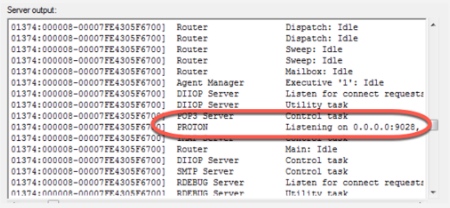
It comes as a node package (domino-db) which will request access to Domino data from your app and a server task (proton) which listens to these requests.
By adding this package to your node.js app you will be able to create, read, update and delete operations on Domino data. This is done by using the gRPC protocol to talk to the server task, sending messages in the Domino Query Language format.
How do you set up the server task?
-
you will need Domino V10 for Linux 64-bit operating systems
-
the installation instructions are provided in the bundle
-
you will need to set these variables in notes.ini:
-
PROTON_LISTEN_PORT=
. If you don’t set the proton port when you restart your server it will connect to a new port and your app will not work. So don’t skip this step. -
PROTON_LISTEN_ADDRESS=
To use the node package you will need to:
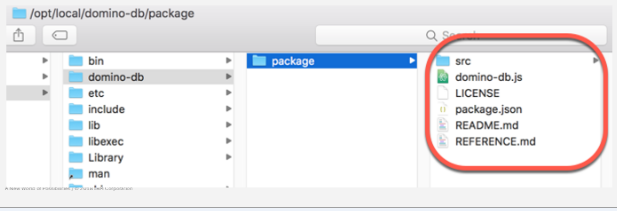
- Unzip the file to a desired location: a directory called package will be created. That directory will hold the code and two essential documentation files.
- Next you will need to install the dependencies: juts run npm install from the package directory.
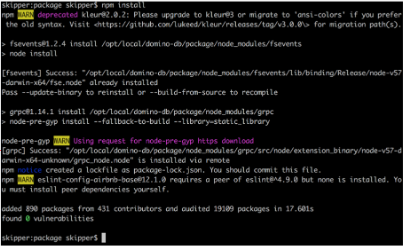
- The third step is installing the package globally: run the npm install-g package from the PARENT of the package directory. After that you will need to confirm that the package has been installed.
You are now set to go. Here is an example of a simple query:
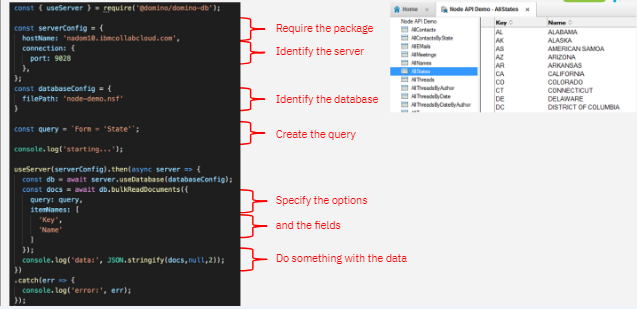
And here is the result:
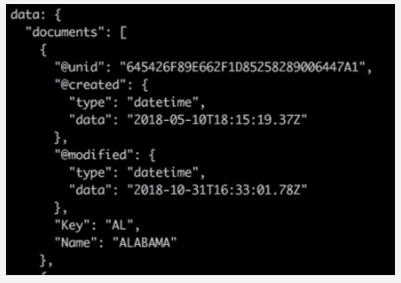
As you might expect there are some query options that you have available:
-
queryLimits {Object} An optional set of limits on the query.
-
maxViewEntriesScanned {number} The maximum number of view entries to scan.
-
maxDocumentsScanned {number} The maximum number of documents to scan.
-
maxMilliSeconds {number} The maximum number of miliseconds to spend executing the query.
-
itemNames {Array} An optional array of item names.
-
start {number} An optional zero-based start index.
-
count {number} An optional count of the maximum number of documents to read.
-
onErrorOptions {strings} A optional string specifying what to do when an error occurs. Must be either “ON_ERROR_CONTINUE” or “ON_ERROR_ABORT_REMAINING”.
Using Views
The Domino Query Language can take advantage of Views to improve query performance:
-
The View must be configured in a particular way
-
The View must be added to the design catalog.
To Create a View:
-
View must have Select@All as its selection criteria
-
There must be a collated column matching the following conditions:
-
Only the filed name as its formula
-
The column must be non-categorized and marked to “show multiple values as separate entities”
-
It is either the leftmost column with sort order Ascending, OR “Click on column header to sort”. Ascending is checked.
Using Views
Cataloging a View:
-
Run load updall
-e to add the database to the catalog (GQFdsgn.cat). -
Run load updall
-a to update the design in the catalog.
Make sure that if you want to change or add a view, run load updall
Node-RED
Node-RED comes to help the ones that are not all into development, but not all out either. It’s basically a visual framework, a node.js app that enables you to create Node.js apps easier.
The access to the standard APIs as Node-RED nodes is encapsulated and provides an easier way to execute those APIs as part of a “flow.”
Here is an example of how you can visually compose your algorithm:
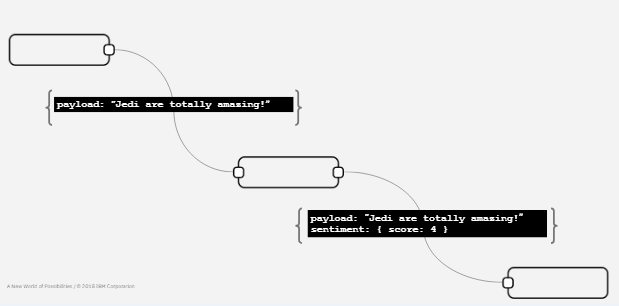
So, you might ask yourself how does the domino-db looks like with Node-RED nodes. Well, here is a visual answer that might shed some light on the matter:
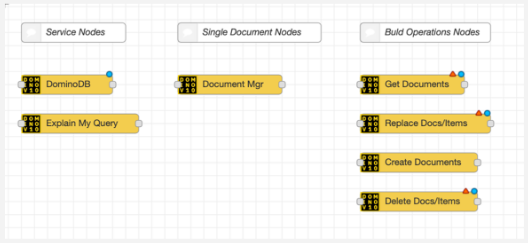
Each of the above node will implement all the needed code to enable you to connect to a Domino server and to a selected Domino db. You, as a Node-RED “developer” just need to select the right instance of the “dominodb node” on which the node will act upon. Sounds easy enough?
Node-RED has been designed for those of us who know basic programming, just did not go in depth with it. So, if you know how to write some simple JavaScript but not know how to create a NodeJS app, Node-RED is the tool for you.
We hope we made you curious enough to take Node.js and Domino 10 for a spin. You will find out that there were efforts made to improve the face of Domino apps as well as making app development easier and not such a drag.
Let us know how you find app development with Node.js and Domino 10.
Filed under hcl domino, hcl product news