
HCL Sametime 12.0.2: Better Security, Collaboration & Control
HCL has made it a habit of organizing webinars to keep us updated with the news in the Domino ecosystem. Today, let’s dive into why upgrading to Sametime 12.0.2 is a good idea.
If you are still wondering why HCL Sametime would be a good option for you, it’s because it offers an instant business collaboration solution providing secure, feature-rich chat and instant video meetings ensuring your data privacy.
Business Collaboration
-
Instant chat and video meetings
-
Seamless enhancement through APIs and drop-in Widgets
Lowering TCO
-
Cloud-Native or On-Premise deployments, scaling to your business needs
-
Competitive Pricing
Data Privacy
-
Trusted by Governments, Banks, and regulated industries to protect their policies
-
Storage, archives, and access, all under your administrative control
-
Your Meetings. Your Data. Your Business. Privacy and security are made affordable.
Through Domino Entitlement Sametime is available to deploy and use supporting Live Name and Persistent Chat in clients such as Notes, Verse, and of course the Sametime standalone clients.
HCL Sametime Premium on the other hand comes with meetings and advanced chat features.
-
Single offering with chat and meetings technology built to run together!
-
Voice, video, persistent chat, and screen sharing
-
No client installation; no plug-ins
-
Elegant and functional user experience
-
Livestream Meetings
-
Telephony Dial-in and Dial Out
HCL Sametime 12.0 and 12.0.1 What is new?
New features that were added in 12.0:
-
Privacy and Security
-
Meeting Modes (Collaboration, Confidential, Lecture)
-
Member Management
-
Branding and Personalization
-
Rebrand meetings home page, join screens, and more
-
Custom video backgrounds
-
Meeting Reports
-
Attendance, Summary or Full Reports
-
Meetings Home Page redesign
-
Easy access to meeting Recordings and reports, Recently joined
-
Search for meetings based on date and other criteria
-
Waiting Room
-
Owner admits selected people and can message people waiting to join
-
Meeting Pre-Join Experience Enhancements
-
Easier access to testing audio/video
-
Easier to set camera & microphone preferences before joining
-
In-Meeting Experience Enhancements
-
Users sharing camera or screen sort to the top of users’ tile view
-
Speaking on mute detection & noise detection
-
Web Chat Enhancements
-
Ability to Pin & Mute specific chat conversations
-
Click-to-Call from a web Chat client
-
MS Outlook Calendar Integration
-
Add a Sametime meeting with a click
-
Apple CarPlay and Android Auto support
New Features that were added in HCL Sametime 12.0.1
-
Administration
-
Dashboards for Monitoring chat and Meetings
-
Deployment
-
Chat-only Kubernetes deployment support
-
“Push proxy” support for mobile notifications for highly secure networks
-
Integration
-
Client Platform and API tech preview and enhancements
-
Meetings Enhancements
-
Safari browser support for meetings
-
Microphone/camera/screen share access issues feedback UX
-
Control audio/video devices from Firefox browser
-
Additional meetings keyboard shortcuts
-
Network performance indicator
-
Meetings timer
-
Chat Enhancements
-
Group chat renaming improved
-
Chat filtering for 1-1s, Group & Meetings
-
User nickname management in web chat
What is new in HCL Sametime 12.0.2
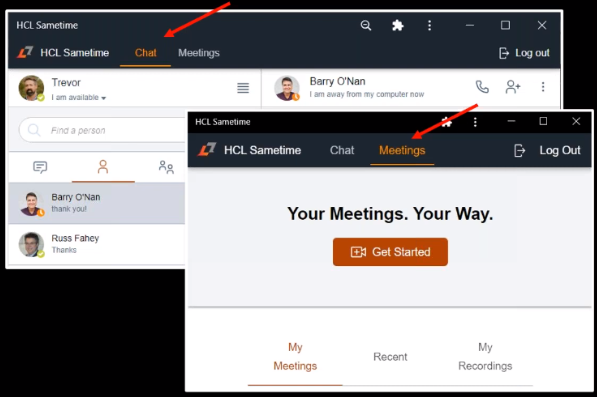
- Combined Chat and Meetings client
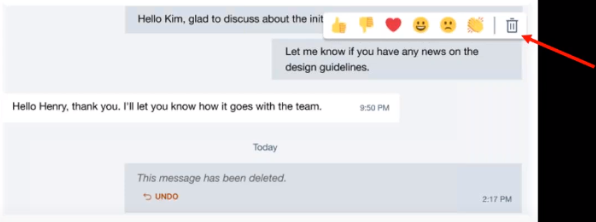
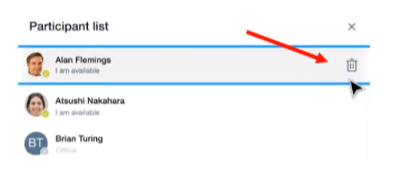
- Chat Deletion and Reactions
- Remove Users from Group Chat
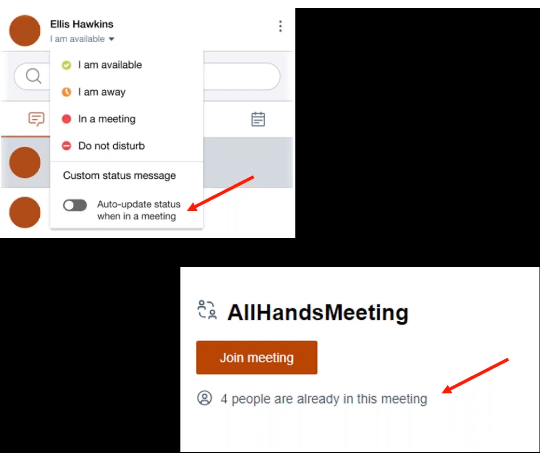
- In-meeting awareness and attendees on pre-join
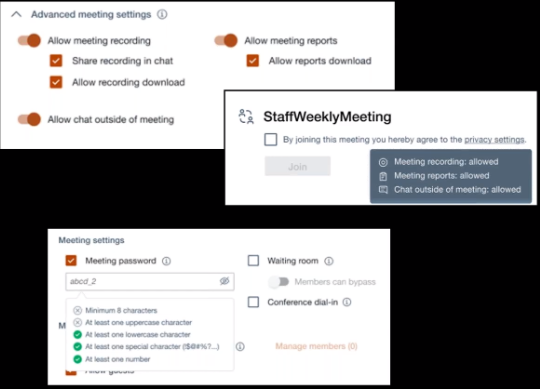
- Advanced privacy settings and Complex meeting passwords
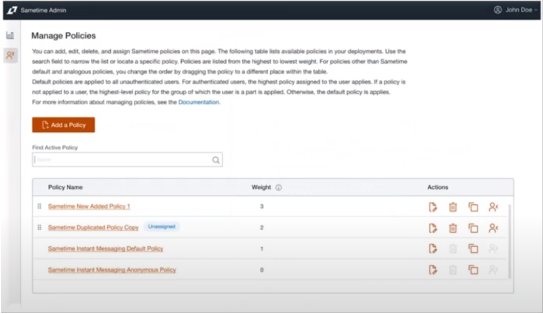
- Make Administration Easier: New administration client and Policy Management
- Monitor Usage and Statistics
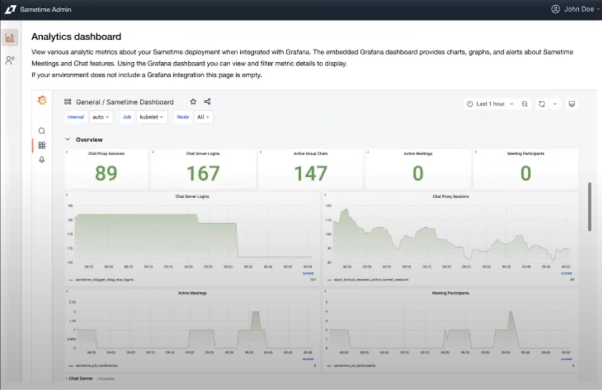
-
Managed Chart Deployment on Windows and Linux
-
Install with Database and TURN
-
Support for K3s and MongoDB Atlas
-
Improvement LTPA and LDAP Integration
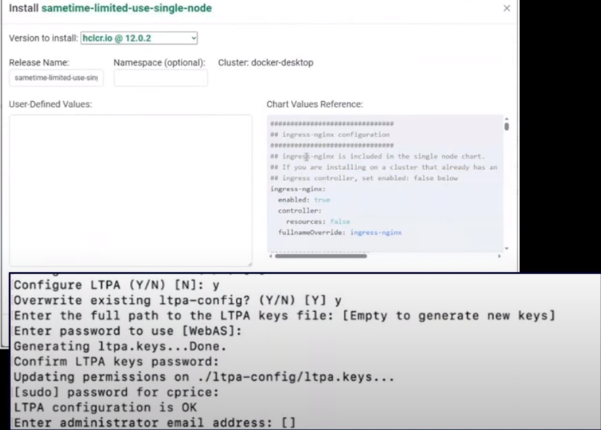
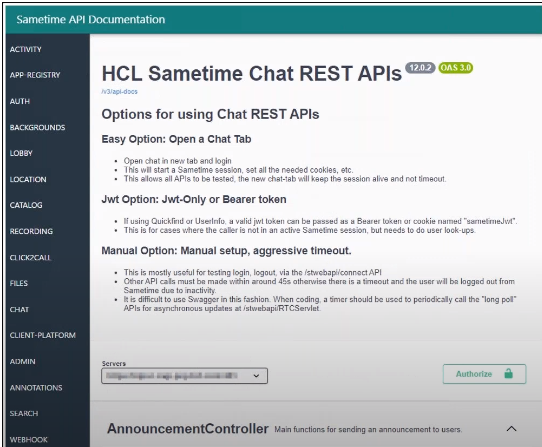
- Enhancements to APIs
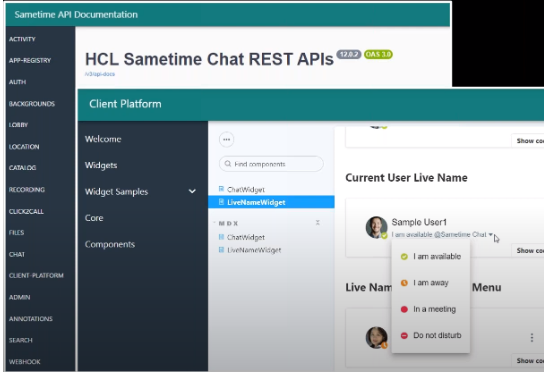
- Enhancements to Drop-in Widgets
Deployment
Deployed on:
-
Docker | Podman
-
Kubernetes
Use:
-
LDAP
-
MongoDB
You now have a fully containerized solution, while still keeping the Directory support, persistent chat database, and chat and meetings requirements.
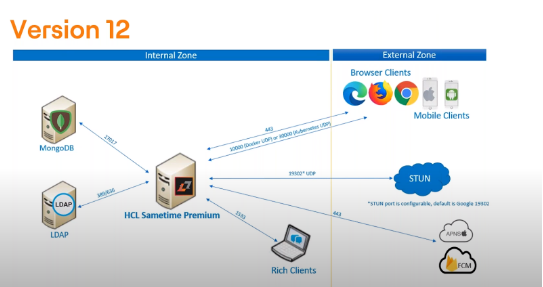
If you want to update your knowledge on Sametime, HCL has a lot of learning materials available for you here .
Upgrading and Migrating
Upgrading in the V12 environment, from V12 to V 12.0.2 is a very simple procedure: shut down, upgrade, start-up, and validate.
Migrating from pre-V12 versions is a bit more complex:
-
It does not support in-place upgrades
-
Keep the same LDAP directory type as the old server (If you are using native Domino, enable and convert to LDAP)
-
Migrate Buddy List to MongoDB using the notes-migration tool
-
Update the custom configuration to the new environment
-
Validate moving a few users
-
Move all users
-
Have a backup plan
If you have any questions about Sametime 12.0.2 just shoot us an email and we are happy to help you.
Filed under collaboration, cybersecurity, hcl sametime