
HCL Sametime 11 Webinar Recap: Key Takeaways & Guide

HCL wanted to keep us busy last week with two great webinars. The first one was on April 15th and it was focused on Sametime V11, both highlighting what’s new and what will come next for this software.
Here are what is new with HCL Sametime 11:
-
Persistent Chat and Multiple Device Support: you’ll have your conversations with you if you are logged-in on your desktop or your mobile.
-
New modern look
-
64-bit HCL Sametime Community Server
-
Simplified install for HCL Sametime Proxy Server
-
Click to meet feature
-
New Web Chat client modern look and features
-
No more WAS or DB2 dependencies!
So, persistent chat means that you’ll get your Sametime everywhere, on all your devices, all the time; you don’t need to log out from your desktop to log in on your mobile device.
In order to help you better manage your conversations, the conversation list becomes the primary view. One other great thing about this is that it’s self-sorting; so your most recent conversations will be moved to the top. When you juggle between devices all your conversations will be there, so you can have the context you need at the tip of your fingertips.
Group chat is also supported to give you a helping hand when you need to talk to your whole team and also you can rename your group chats to help you keep organized.
This is what the new web client looks like:
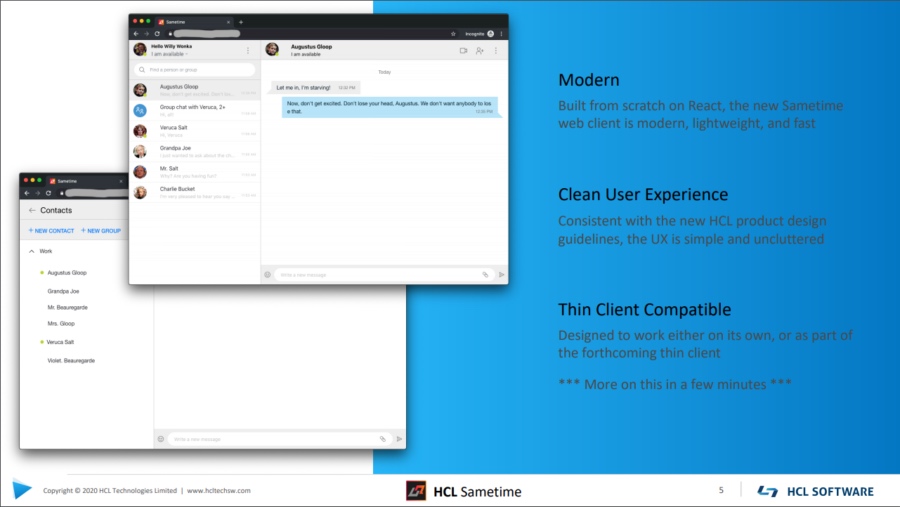
Apart from the clean look, Sametime 11 is also easy to configure; the settings pages are simple and minimal: just what you need and nothing more.
If you like conference calls, you can integrate Sametime with your favorite conferencing provider. Just configure the URL and then click to meet in any chat window.
Finally, one of the great things that came with Sametime 11 is that there is no more WebSphere dependency. The Sametime Proxy now runs on Tomcat. This simplifies the deploying and managing the webchat / mobile front-end for Sametime.
Also, as promised, there is no more DB2 dependency; by default, the Sametime Proxy uses the same Mongo database used for chat history.
Last but not least, the installation has been simplified, so that Sametime can be deployed in minutes.
If you are wondering what FP1 has brought to Sametime 11 here it is:
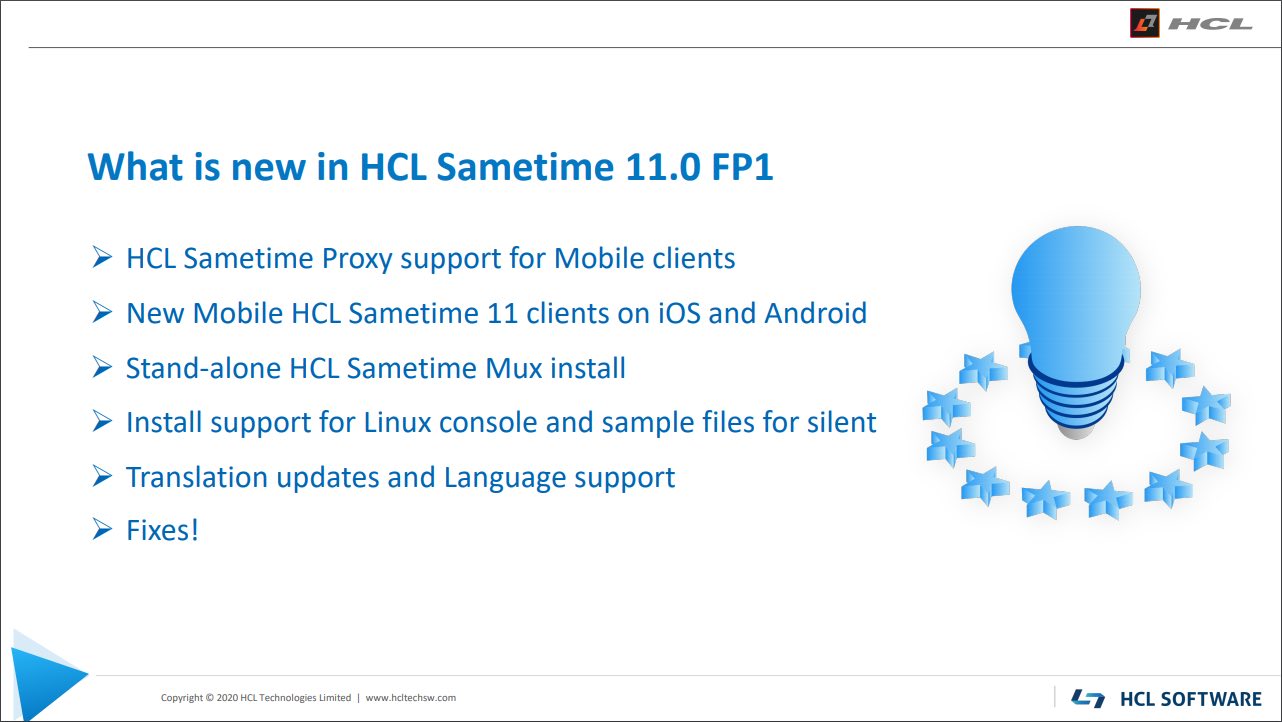
Here are some more great features:
HCL Sametime Proxy Support for Mobile clients
-
Enables Mobile client support on HCL Sametime Limited Use installs
-
Updated APNS and Google certificates to support push notifications
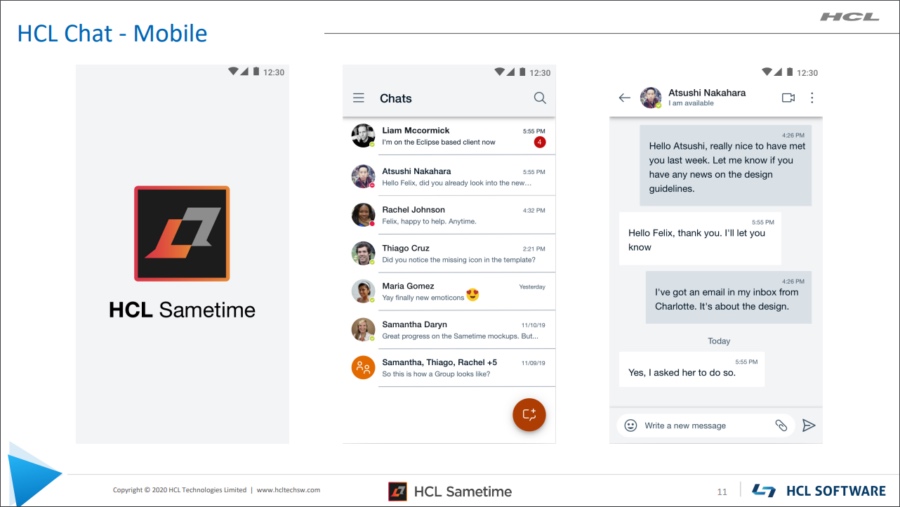
New Mobile HCL Sametime 11 Clients on iOS and Android:
-
HCL branded with a new user interface
-
Extensive Language support
-
Supporting full OS Emoticons
-
Multi-device and Persistent Chat support
Stand-alone HCL Sametime Mux install:
-
Stand-alone Mux servers can support and manage user connections, allowing the Community Server to be more scalable.
-
Stand-alone Mux installs are supported on both Windows and Linux platforms.
Install support for Linux console and sample files for silent:
-
Added support for console installs
-
Sample files for silent installs are now provided
Translation updates and Language support:
-
Additional language support for both servers and clients. No longer English only!
-
Updates to better translate application and operating system language settings.
Fixes!
-
Connect/Embedded clients
-
Web/Mobile clients
-
Community server
-
Proxy server
The webinar also had a great presentation of the deployment for Sametime V11; make sure to watch the replay for that.
Because HCL is well aware that we are all very curious about what’s next, HCL Sametime 11.5 will come with HCL Sametime Meetings:
-
Build on open source, and utilizing WebRTC tech
-
Voice, video and screen sharing
-
It will be available 1H2020
It will also be easy to use for users: no install, no plug-ins. It’s simplified for admins as well, as it comes with a single server, which can be deployed in minutes.
Here is a preview of HCL Sametime Meeting:
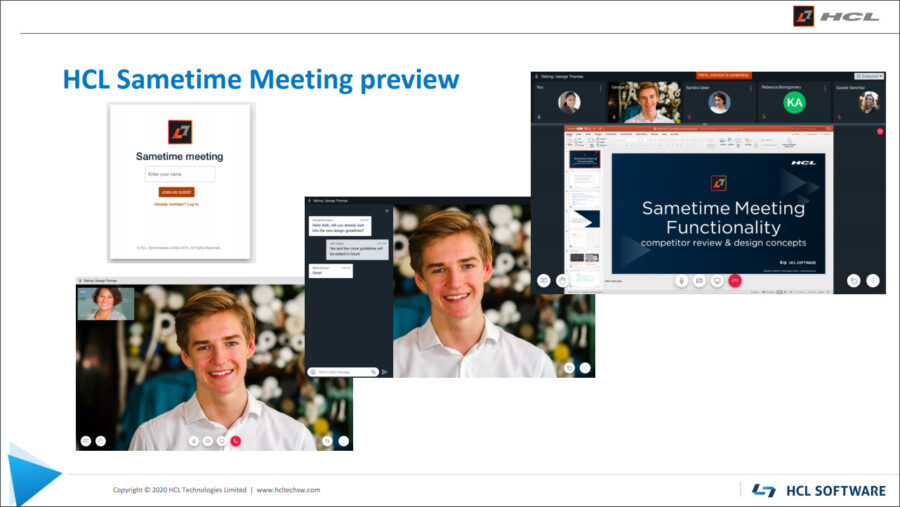
Just in case you are curious to what to expect next, in future releases, here is the roadmap:
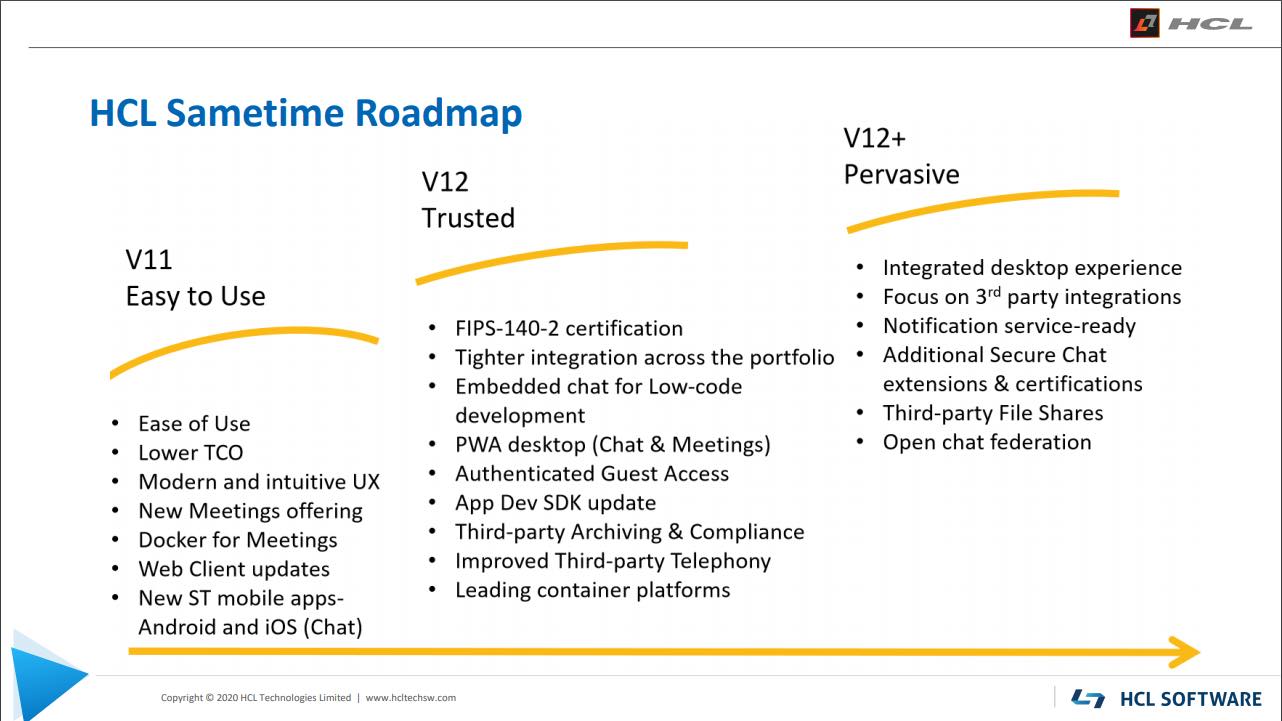
Looks rather interesting, right? Stay close to learn how Sametime will evolve into an awesome chat app we all needed and wanted.
Filed under collaboration